
Is your project nearing beta as you prepare for your GTM launch? Before expanding access, invite someone outside your team to use their preferred AI coding agent to complete your quickstart, adapt an example, and recover from a failure. The friction and gaps they encounter will show you what to prioritize and just how close to beta you really are.
In our recent post, Developer Adoption: Separating Fact from Friction, we explored how reducing friction helps developers build successfully. In practice, that means providing clear prerequisites, working examples, and straightforward instructions that turn initial interest into ongoing use and adoption. As a product moves to beta, your docs must answer questions on their own for a broader range of builders, many of whom work through AI coding assistants and agents. When details are missing, developers and agents fill the gaps with assumptions, and generated code can look convincing while using your product incorrectly.
Google® and Microsoft® now feed their official docs straight to agents because, as Microsoft puts it, agents "don't know which API shipped last month" (Microsoft).
If Google and Microsoft are reworking their docs for agents, beta teams should too, and the stakes are higher for small and midsize companies. Microsoft calls it the "closest-match trap": when a model doesn't know your SDK, it maps it to the nearest one it does know (Microsoft). A developer may never learn your product was the right fit, and a developer who gives up inside an agent rarely files a ticket.
Today's technical documentation is the interface to your product that you need to get right, and beta is a practical milestone for establishing it as part of your Developer Agent Experience (DevAX) foundation. DevAX is how well developers and their AI coding agents can learn, build and recover using your product and its docs. Here are the essentials.
From First Prompt to First Successful Build
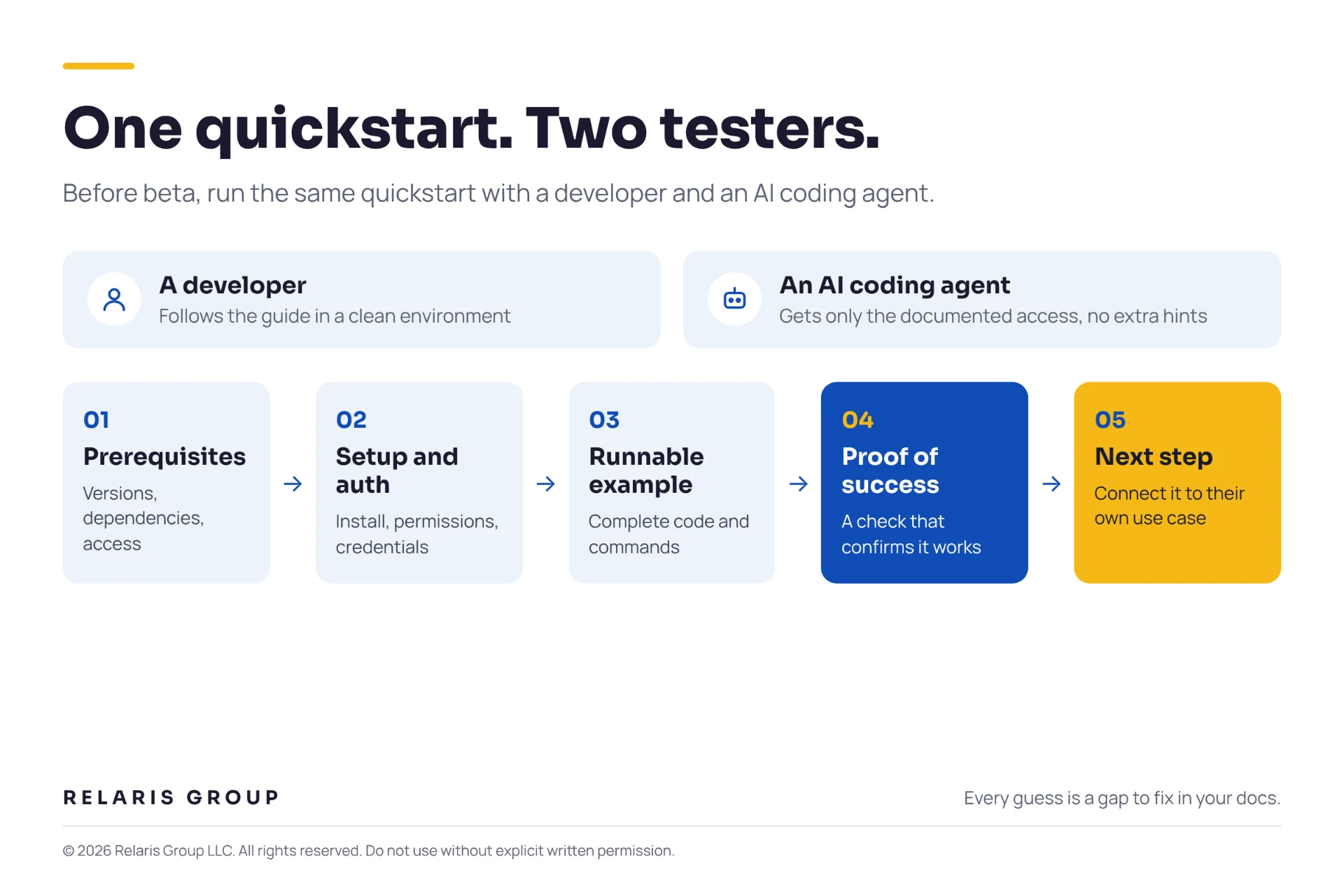
For starters (pun intended), your quickstart must guide developers and their agents through one useful task with a verifiable result. Choose a small task that demonstrates your product's core value, such as processing a sample file or adding an integration, and include these key elements:
- Prerequisites: Supported runtime and SDK versions, dependencies, accounts, and any beta access requirements.
- Setup and authentication: Installation commands, required permissions, and secure credential configuration, with placeholders clearly marked.
- A runnable example: Complete code and commands, including required imports and configuration.
- Proof of success: Expected output and a check that confirms it worked.
- A next step: A practical follow-up that connects the example to the developer's own use case.
Proof of success is critical here. In the Stack Overflow® 2025 Developer Survey, 66% of developers said they spend more time fixing AI code that is "almost right" (Stack Overflow). An agent reporting "finished" doesn't mean the implementation works, so give readers a concrete check, such as retrieving a newly created record.
Before publishing, test the quickstart twice: have a developer follow the guide in a clean environment, and have an AI coding agent attempt the same task, each with only the documented prerequisites and access. Note anywhere the agent used the wrong SDK version, guessed, or needed human involvement. Then make any necessary human steps explicit, and close the gaps that forced either tester to improvise.
Give Developers and Their Agents Less to Guess
Many developers today never read your docs directly, preferring instead to ask their AI coding agent to explain features or implement integrations. Start with the context developers and agents need to choose the right approach:
- Core concepts: Terminology, relationships between components, and behavior developers need to understand.
- Intended use cases: Supported workflows, where the product fits, and when it may be unsuitable.
- Beta boundaries: Experimental features, supported environments, usage limits, and restrictions on production use.
Then make your reference documentation complete, from authentication and parameters to responses, errors, and behaviors such as retries. Avoid descriptions that merely restate the obvious, like "GetX() returns X." You'd be surprised how often we see this in developer-written and auto-generated docs. Make defaults explicit instead, and pair each reference with a tested example.
Label pages and examples with the API or SDK version they apply to, and put that label in the content itself, because agents often retrieve a single page without the site's version selector. Open every topic with what the page helps readers do and when it applies, so both humans and agents can judge whether it is relevant.
For example, instead of opening a page with "This topic describes webhook configuration," explain its purpose: "Use webhooks to notify your application when a processing job finishes, without repeatedly checking its status. This guide shows you how to configure an endpoint and verify that it receives notifications."
Reduce Friction to Keep Developers Moving
When developers hit an expired credential or an unsupported configuration, they need to determine whether they've made an implementation mistake or run into a beta limitation. Good troubleshooting guidance explains what they'll see, what it may mean, and what to do next, followed by a way to verify that the fix worked.
Be specific. Instead of "check your configuration" (which is like saying "make sure your cable is plugged in"), name the setting, its expected value, and a safe way to inspect it. Specific warnings work: in Microsoft's DevAX testing, a tip in the docs was followed in 1 of 5 agent runs, while a warning that named the failing approach was followed in 5 of 5 (Microsoft).
Make known issues easy to find, and give users somewhere to turn when the docs aren't enough, using the touchpoints in our journey map: forums, office hours, community chat, or an issue tracker. Choose only the channels you can support consistently, link to them from your docs, and set clear expectations for response times. Add a "Report an issue" link to every page and a feedback route agents can surface, and assign an owner to turn recurring questions into documentation.
When you remove a method, document its replacement so developers and agents can recognize outdated suggestions. Stripe® builds this into its llms.txt file, which tells AI assistants to "Always use the Checkout Sessions API over the legacy Charges API" (Apideck™).
Key Takeaways: What to Do Next
Here's where to start:
- Test your quickstart with a developer and an AI coding agent, and fix every spot where either one had to guess.
- Publish context, complete references, and version labels that an agent can use from a single page.
- Give developers and agents a clear way to recover, report issues, and reach your team.
Your beta docs don't need to cover everything, but they do need a reliable path to first success. That path is what earns developer trust. Before you expand access or plan launch campaigns, make sure both testers reach it.
If you need help achieving this, reach out. Schedule a free consultation.
Sources
- Microsoft Developer Blog, "Improve your agentic developer tools by grounding in Microsoft Learn," May 28, 2026
- Google Developers Blog, "Introducing the Developer Knowledge API and MCP Server," February 4, 2026
- Microsoft DevRel, Developer Agent Experience (DevAX) glossary
- Stack Overflow, 2025 Developer Survey results, July 29, 2025
- Microsoft DevRel, Developer Agent Experience (DevAX)
- Apideck, "Stripe's llms.txt has an instructions section," February 23, 2026
Relaris Group is a full-service developer relations (DevRel), developer marketing and GTM agency helping technology companies grow developer adoption in the agentic age.
Member of the DevRel.Agency Collective.